Best Free AI Image Generators in 2026: Tested Across 6 Real Workflows
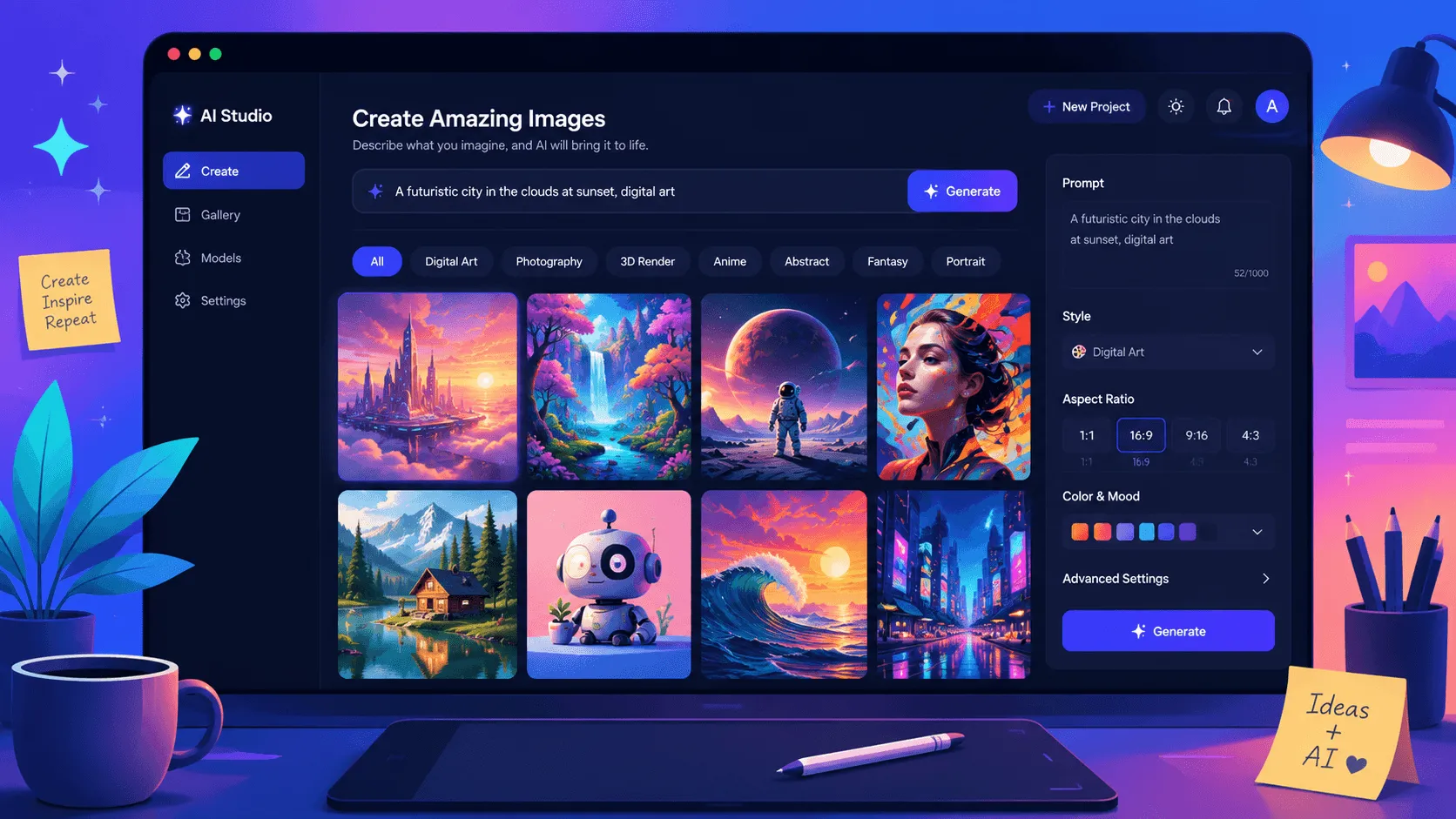
You hit generate on a free AI image tool, get one result you almost like, and then see the counter: 4/5 free images used today. Reset tomorrow. The image still has the wrong color cast. Now you wonder whether spending $30/month on Midjourney was unavoidable all along.
I went through that loop enough times in 2025 that I started tracking what the free tools actually deliver in 2026 — not what their marketing pages claim. The short version: free tiers got worse on some tools (Playground AI killed its free plan in July 2024) and got meaningfully better on others (Leonardo.ai now gives 150 daily tokens, Ideogram’s text rendering is finally usable). This list is what survived after roughly three weeks of running real creative briefs through each one — blog hero images, Instagram quote graphics, podcast cover art, product mockups, and a few things that just needed to look pleasant.
Last updated: July 2026. Plan limits, model versions, and commercial-use terms reflect each tool’s current lineup as of this date — including Adobe’s post-2024 generative-credit model, Playground AI’s free-tier shutdown, and Ideogram’s 10-prompt daily window.
Free AI Image Generator Comparison: Features, Limits, and Best Use Cases
| Tool | Free tier at a glance | Strength | Watch out for |
|---|---|---|---|
| Microsoft Bing Image Creator | 10 fast generations/day + unlimited standard | DALL-E 3 quality, no rate anxiety | No public model name; non-commercial terms apply in some regions |
| Adobe Firefly (web) | Monthly generative credits free | Clearest commercial license | Free credits run out fast on a heavy week |
| Leonardo.ai | 150 daily tokens (~75 standard images) | Volume + style control for experimentation | UI is denser than consumer tools; learning curve |
| Ideogram | 10 prompts / 24h rolling window | Best text-in-image rendering of any free tool | Lower non-text image quality than top tiers |
| Google ImageFX | Generous daily limits, no published cap | Imagen quality, free expression suggestions | No reliable daily-quota number from Google |
| Canva AI (Magic Media) | Limited monthly generations on Free plan | Drops directly into Canva designs | Quality trails dedicated image tools |
My Testing Methodology: 6 Real Creative Briefs
I ran five real creative briefs through each generator over a two-week window and kept notes on what happened:
- Blog hero images at 1600×900 — the image that leads each post on FazTest, plus product-review posts
- Instagram quote graphics — a 1080×1080 design where the text inside the image is the point (this is where most free generators fail)
- Podcast cover art — square, conceptual, needed to read at thumbnail size
- Product mockups — a mockup of a fictional SaaS dashboard where labels and UI text had to be legible
- Editorial illustrations — abstract or conceptual scenes used as section dividers
For each, I tracked: did the first generation work, or did I need 5–10 retries? Was the commercial-use license clear? Did the file size and dimensions match what I needed? Did it produce something I’d actually publish?
A “good free tool” on this list is one where the first or second generation is often publishable, not one where it can theoretically produce something impressive after enough prompting skill.
1. Microsoft Bing Image Creator — Best Overall Free Choice
Free tier: 10 fast generations per day signed in, with unlimited slow (standard) generations after that. No payment required, just a Microsoft account.
Bing Image Creator is the closest thing to a default pick in mid-2026 for anyone who wants DALL-E-quality output without a subscription. The image model has gone through several updates since DALL-E 3 first appeared here; Microsoft now describes it generically as “advanced creation models” on the Image Creator page, but the practical output still tracks DALL-E 3’s strengths: literal prompt interpretation, decent photorealism, and predictable compositional control.
In my testing, Bing was the most “predictable first try” generator of the six. When I prompted “a small wooden desk on a sunny window sill, one ceramic coffee cup, warm morning light, photorealistic,” I got exactly that — four variations, all close enough to publish with minor color tweaks. That’s the bar most other free tools clear only on the second or third try.
The catch with commercial use. Microsoft’s Image Creator Terms reserve the right to apply non-commercial restrictions in some scenarios. For a blog running AdSense ads or affiliate links, the safer read is: Bing Image Creator is fine for personal, editorial, and educational use; for monetized content, the terms are worth a direct read before relying on it. Microsoft’s terms don’t mirror Adobe’s explicit commercial clearance.
Where it falls short. Microsoft’s Bing Video Creator is scheduled to retire on July 31, 2026 per the same product page — and Bing Image Creator itself has had moments of regional access suspension (“Access to Image Creator has been suspended”) that surface in the UI. Treat it as a primary tool, not a sole dependency.
Best for: Bloggers and creators who want DALL-E-quality images without a subscription and don’t need a clean commercial-use certificate.
2. Adobe Firefly — Best for Commercial-Safe Images
Free tier: Generative credits allocated monthly on a free Adobe ID. Sign in at firefly.adobe.com and the credit counter is visible in the upper-right of the workspace. Paid Firefly Standard is $9.99/month with 2,000 monthly credits; Firefly Pro is $29.99/month with unlimited generations (subject to Adobe’s fair-use cap).
When I started using Firefly for blog visuals, the deciding factor wasn’t image quality — it was the Generative AI User Guidelines. Adobe trained Firefly on licensed Adobe Stock content plus public-domain material, and explicitly clears commercial use for outputs generated through the platform. For FazTest articles that earn revenue through ads or affiliate links, that licensing clarity is the whole game.
In direct output comparison, Firefly holds up against the top tier — particularly for editorial photography, product mockups, and anything that needs to look “real” rather than illustrated. The text rendering is also better than most models outside Ideogram, though still requires careful prompting. The Photoshop “Generative Fill” extension is the killer feature for designers who already own Creative Cloud, but the standalone web app at firefly.adobe.com is genuinely useful without any other Adobe plan.
Where it falls short. The free monthly credit allocation runs out fast on a heavy generation week. On a five-article publishing push with two revisions per article, I burned through free credits in about a week. For regular use, the $9.99/month Firefly Standard plan is the practical entry point — and unlike many competitors, the paid plan doesn’t add usage caps that hurt.
Best for: Creators monetizing content who need explicit commercial clearance and a model trained on licensed data rather than scraped web imagery.
3. Leonardo.ai — Best for Volume and Experimentation
Free tier: 150 daily tokens that refresh every 24 hours. A standard SD-style generation costs roughly 2 tokens, putting free users at approximately 75 images per day. Extra tokens can be earned by posting to the community feed.
Leonardo.ai was the gap-leaver after Playground AI shut down its free tier on July 1, 2024 — Playground cited unsustainable compute costs from free-tier abuse. If you remember Playground’s pre-shutdown generous free model and feel the loss, Leonardo is the closest spiritual successor: same idea of a generous daily quota, same expectation that you’ll iterate prompts heavily, same breadth of model options.
The model library is where Leonardo earns its slot. Free users can pull from community-tuned models (Phoenix, Kino XL, PhotoReal variants) plus a few first-party ones. For batch work — testing 10 variations of a thumbnail, exploring what an illustration brief looks like across four different art styles — Leonardo is the practical choice. No other free tool gives you both that volume and that level of model control.
Where it falls short. The interface is denser than Canva or Microsoft Designer. First-time users will spend 20–30 minutes figuring out which model, which preset, and which dimensions to pick. Quality on first-generation prompts tends to be lower than Bing or Firefly — the tool rewards iteration, not one-shot prompts. Also: free-tier generations are public by default; private generation requires a paid plan.
Best for: Creators who need to test many variations, experiment with different model styles, or generate images in volume for a content calendar.
4. Ideogram — Best for Images with Readable Text
Free tier: 10 prompts per day on a rolling 24-hour window. Free generations are public. Paid tiers start at Basic ($8/mo), Plus ($16/mo), and Pro ($48/mo), which add private generation and higher daily prompt counts.
For most of the AI image era, text inside generated images was a coin flip — letters that looked vaguely correct on first glance but fell apart under any real inspection. Ideogram was built specifically around this weakness, and in 2026 it remains the clear leader on text-in-image rendering among free tools.
When I tested Ideogram against the other five generators on the “Instagram quote graphic” brief, the gap was decisive. A prompt like “a flat-design mountain landscape at sunset, with the words ‘STAY CURIOUS’ in bold white serif across the center” produced a usable graphic on the first try. The same prompt on Bing Image Creator gave me four images where ‘STAY CURIOUS’ read as ‘STAY GUR1OUS’ or ‘5TAY GURiOUS’. This isn’t a marginal gap — for any workflow that requires text, Ideogram is in a different category than the alternatives.
Where it falls short. For non-text images — pure illustration, photorealism, abstract scenes — Ideogram trails Firefly and Bing on average output quality. Use it for what it’s good at (text-heavy designs: quote graphics, promotional banners, mockup labels, social cards with copy overlay), and pick something else for general illustration.
Best for: Quote graphics, social posts with overlaid text, mockups with legible labels, banners, and any design where the text inside the image has to be correct.
5. Google ImageFX — Best for Artistic and Conceptual Images
Free tier: Free with a Google account through Google Labs at labs.google/fx/tools/image-fx. Google doesn’t publish a daily quota number; the practical experience is “generous” for occasional use, with hard stops only on heavy bulk generation.
ImageFX runs on Google’s Imagen model family — currently Imagen 3 in production for most users, with newer variants in limited rollout. The artistic and painterly aesthetic is where it stands out: when I needed editorial illustrations for section dividers in long articles (the “conceptual scene with a person looking at a screen” kind of image), ImageFX produced more visually interesting results than Bing or Firefly on the same prompt.
The “expressive chips” interface — small suggestion buttons that adjust style, lighting, and aspect ratio — is a genuinely useful feature for users who aren’t sure how to phrase an artistic brief. Click a chip instead of editing the prompt, and the model re-runs the same composition with the new style. This lowers the prompt-engineering barrier in a way most competitors don’t.
Where it falls short. No published quota means no planning — you find the limit when you hit it. Photorealism is weaker than Firefly or Bing. The licensing terms (Google’s standard AI terms) are less explicit than Adobe’s commercial-use clearance for monetized content.
Best for: Editorial illustrations, conceptual scenes, anything where an artistic or illustrated aesthetic is the goal.
6. Canva AI (Magic Media) — Best for Design Workflow Integration
Free tier: Limited monthly AI generations on the Canva Free plan. Canva Pro, Teams, and Enterprise plans unlock substantially higher quotas. Generations land directly on the Canva canvas.
Canva isn’t competing on raw image model quality — its text-to-image model trails Bing, Firefly, and Leonardo on output fidelity. What it does well is workflow: when you generate an image inside Canva, it appears directly on your design canvas, ready to drag, resize, layer, and combine with text and other elements. For creators who design inside Canva (thumbnails, social posts, blog graphics, lead magnets), this removes 4–5 steps from the workflow compared to generating elsewhere and importing.
In my own workflow, I generate hero images and product mockups in Firefly or Bing, then move into Canva for any composite that combines the AI image with text, frames, and brand elements. The integration matters less than people think for one-off images, but for a content calendar with 15+ designs a week, it adds up.
Where it falls short. Quality is the lowest of the six for dedicated image generation. Licensing is permissive for content created inside Canva but should be checked for assets generated by the AI component specifically.
Best for: Canva-first creators who need AI images integrated into a design workflow rather than as standalone outputs.
Who This List Is For — and Who Should Skip It
This list is for:
- Bloggers and content creators who need a steady supply of header images, social graphics, and illustrations without a $30+/month subscription
- Small business owners running ads or organic content who want commercial-safe images and a clear license
- Freelancers building mockups and concept visuals for client pitches
- Anyone testing whether AI image generation fits their workflow before committing to a paid plan
For a broader look at AI tools across the creator workflow — including video, design, and writing — see our tested roundup: Best AI Tools for Content Creators.
You can probably skip this list if:
- You need consistent, brand-specific outputs from a single fine-tuned model — a paid Midjourney or Runway subscription is the better fit
- You’re producing 100+ images per week for a print-on-demand store — the volume math only works with paid APIs
- Your work requires photorealistic product photography at print resolution — none of the free tools are there yet
How to Build a Free AI Image Stack That Actually Works
Running six tools on rotation sounds expensive in time. In practice, a simple division of labor works:
Default stack (covers ~90% of needs): Bing Image Creator for general illustrations and blog headers + Ideogram for any image with text + Canva for compositing and final layout work. Zero dollars.
Commercial-first stack: Adobe Firefly on the free tier for any image going on a monetized post + Ideogram for text-heavy designs + Leonardo.ai when you need many variations on a single brief.
Volume stack (for batch work): Leonardo.ai as the primary generator + Bing Image Creator for the 10/day fast generations when you need quick drafts + Ideogram when text rendering matters.
The mistake I made early on was treating these as substitutes. They’re not — each one is good at one thing the others aren’t, and the smart move is using the right one for each specific brief rather than picking a single favorite.
Working with AI-generated visuals in a content workflow? Our How to Use AI to Write Blog Posts guide covers the full editorial pipeline — including where image generation fits alongside writing tools.
Frequently Asked Questions
Which free AI image generator should I start with if I only have time to learn one?
Start with Bing Image Creator. The interface is the simplest, the output quality on first-generation prompts is the most predictable, and the daily limit (10 fast generations) is enough for most blog and social-post needs. Once you’ve used Bing for a week, add Ideogram for any image with text — the gap in text rendering is large enough that you’ll notice within one Instagram graphic.
Are these free tiers really free, or are they just trials that push you toward a paid plan?
Most are genuinely free with usage limits, not timed trials. Adobe Firefly’s free tier doesn’t expire — it just gives you a monthly credit allocation. Bing Image Creator’s free tier is permanent (Microsoft monetizes through other products). Leonardo.ai and Ideogram both operate freemium models where the free tier is the long-term state for casual users. The one that was free and isn’t anymore is Playground AI — it killed its free tier in July 2024. So if you see older listicles recommending Playground as a free option, that’s outdated.
Can I legally use these images on a monetized blog (AdSense, affiliate links, sponsored posts)?
The clearest answer is Adobe Firefly — the Generative AI User Guidelines explicitly clear commercial use. Microsoft Bing Image Creator’s terms are more nuanced and have been adjusted over time; read the current Image Creator Terms before relying on it for revenue-generating content. Leonardo.ai and Ideogram permit commercial use on paid tiers and have free-tier terms that should be reviewed for monetized work. The U.S. Copyright Office’s standing guidance is that purely AI-generated images without substantial human modification aren’t eligible for copyright protection — which means competitors can use the same prompts to produce identical-looking images, but doesn’t prevent you from publishing them commercially. None of these tools have been adjudicated in a major copyright lawsuit as of mid-2026, though the Getty Images v. Stability AI case and similar suits continue to evolve the legal landscape. For more on the underlying generative AI technology and how it affects licensing, What is ChatGPT covers the basics.
Do these generators save my prompts and images? Is there a privacy concern?
Public-by-default behavior varies. Ideogram and Leonardo.ai both default to making free-tier generations public — your prompts and outputs may appear in community feeds. Bing Image Creator links generations to your Microsoft account but doesn’t publish them publicly. Adobe Firefly stores generations in your Adobe account for paid users and operates under Adobe’s privacy terms for free users. If prompt privacy matters for a specific project (client work under NDA, unreleased product visuals, etc.), paid tiers on any of these tools add private generation as a standard feature.
Will free AI image generators replace stock photo subscriptions?
For general blog and social content, mostly yes. For product photography, professional headshots, specific historical events, or anything requiring recognizable real-world locations, no — free AI generators still struggle with these and stock libraries remain the better source. The split that makes sense in 2026: AI for illustrations, conceptual scenes, social graphics, and any text-heavy design; stock libraries for real-people photography, specific products, and verifiable real-world locations.
Final Verdict: Which Free AI Image Generator Should You Use?
Free AI image generation in 2026 is genuinely useful — not a teaser for a paid plan. The tools that matter most for a working creator are Bing Image Creator (default), Adobe Firefly (when commercial license matters), Ideogram (when text in the image matters), and Leonardo.ai (when volume matters). ImageFX and Canva AI round out a complete free stack for editorial illustration and design integration respectively.
What changed since the 2023–2024 era is the consolidation: Playground AI’s free tier is gone, Bing and Adobe have stabilized as the two anchor tools, and the gap between free and paid tiers has narrowed on quality while widening on commercial-use clarity. If you’re paying for a single subscription for image generation, the value calculation should now factor in not just output quality but the licensing terms — that’s the part most reviews still skip, and the part that matters most for anyone publishing content that earns revenue.
This comparison is based on hands-on testing of Microsoft Bing Image Creator, Adobe Firefly, Leonardo.ai, Ideogram, Google ImageFX, and Canva Magic Media across blog-header, social-graphic, product-mockup, and editorial-illustration briefs over a two-week window in mid-2026.
Sources:
- Adobe Firefly generative credits and pricing — Adobe
- Adobe Generative AI User Guidelines — Adobe
- Microsoft Bing Image Creator — Microsoft
- Microsoft Image Creator Terms of Use — Microsoft
- Leonardo.ai daily token allocation for free tier — Leonardo.ai Help Center
- Ideogram pricing and free-tier limits — Ideogram
- Google ImageFX and Imagen model — Google Labs
- Playground AI free-tier shutdown announcement — Playground community
- U.S. Copyright Office guidance on AI-generated works — Copyright Office