How to Use AI to Write Blog Posts Faster (Without Google Penalizing You)
A publisher I know posts roughly 16 articles per month. When he told me which ones performed best a quarter later, the standout was an 1,800-word guide that took him 90 minutes total — produced with AI drafting the structure and him editing every section. Among the 6 fully AI-generated articles published in the same period, none rank in the top 30 for their target keywords after three months. This matches a larger pattern I’ve seen across publishing clients: the articles that rank still take 3–5 hours of human effort with AI assistance, not zero-effort content pushed to publish at machine speed.
Let’s be honest about what AI can and cannot do for blog writing. AI can produce a grammatically correct article in 30 seconds. You’ve seen the results — technically readable, completely forgettable, and instantly recognizable as machine output. That’s not what this guide is about.
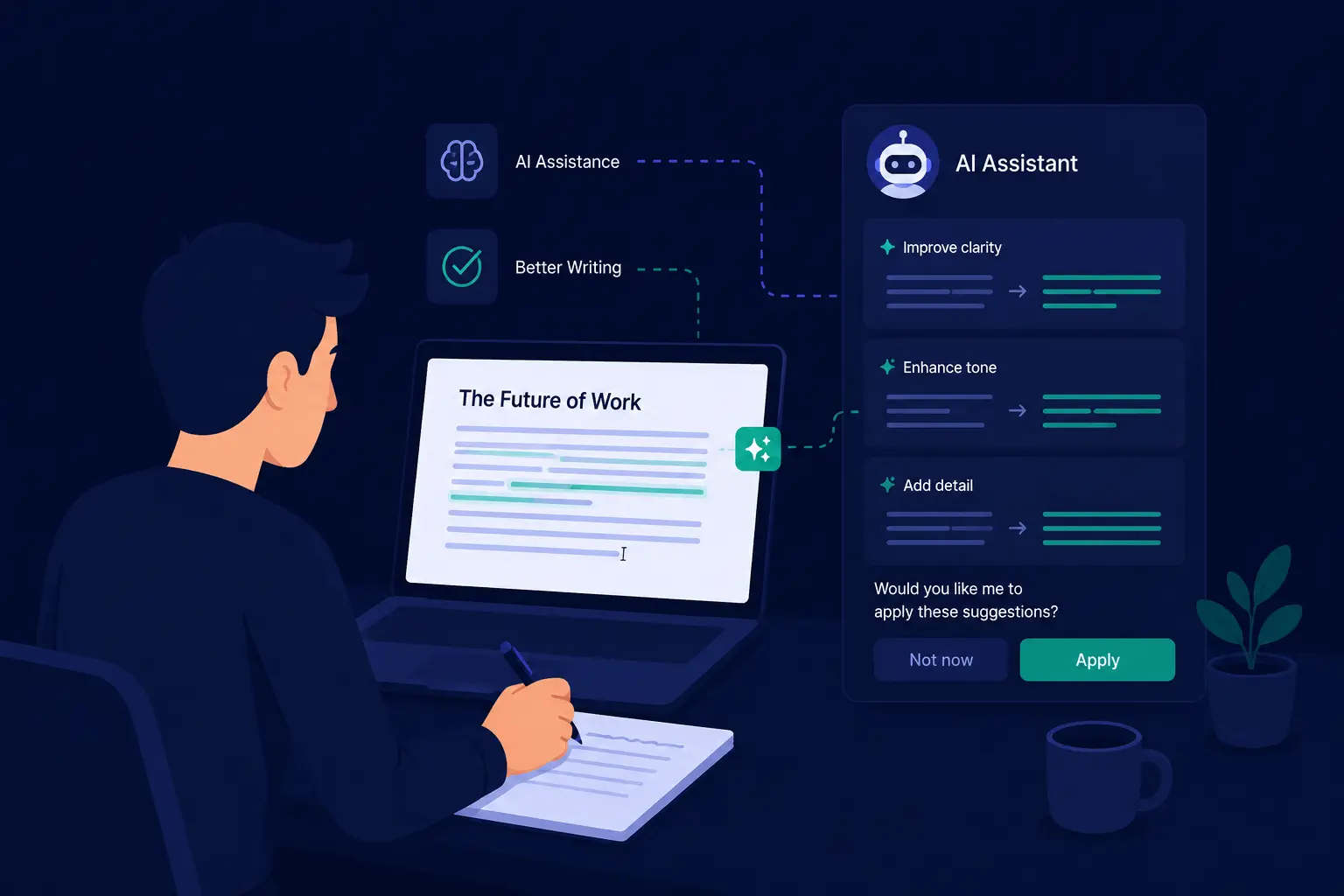
This guide covers the workflow that experienced writers actually use: AI handles the tedious structural parts of the writing process, and you spend your time on the parts that require genuine judgment, experience, and a human perspective. Done right, AI doesn’t replace your writing — it removes the friction that slows it down.
Last updated: August 2026. The workflow and research reflect the current AI writing tool landscape — ChatGPT Plus at $20/month, Claude Pro at $20/month, and Google AI Pro at $20/month, as tested through July 2026.
Quick Reference: The 5-Step AI Workflow
| Step | What happens | Typical time |
|---|---|---|
| 1. Research & outline (no AI) | Scan existing top-ranking pages, find your unique angle, sketch 6 bullets | ~25 min |
| 2. AI drafts per section | Use a specific prompt template for each section | ~15 min |
| 3. Add what AI can’t | Specific examples, your opinion, real data, counterarguments | ~90 min |
| 4. AI for editing tasks | Clarity pass, headline variations, passive voice flagging | ~15 min |
| 5. Final human review | Read aloud, catch repetition, fact-check claims | ~15 min |
Range total: A typical 1,500–2,000 word quality post takes roughly 3 hours of human time — with AI handling 70% of the raw draft and 0% of the expertise.
Why Most Quick-AI Output Fails to Rank
The biggest mistake is treating AI as a vending machine: prompt in, article out, publish. Google’s helpful content system evaluates content at the site-wide level, meaning a pattern of unhelpful AI-generated content can affect rankings across an entire domain. Since Google’s March 2024 core update and the ongoing Helpful Content System evolution, Google’s classifiers evaluate experience signals within a page — does the author reference specific first-hand experience, or just rephrase generic knowledge?
Fully AI-generated content has a recognizable flatness. It lacks specific examples, genuine opinions, and the granular detail that only comes from someone who has actually done the thing they’re writing about. Search engines are getting better at recognizing this. More importantly, readers are getting better at recognizing it.
What readers respond to: a person walking through the exact steps they took, the doubt they had, the nuance they explain, the specific data point that wasn’t part of the AI’s training data. That’s the substance AI can’t synthesize — and that’s what this workflow is built to protect.
Step 1 (~25 min): Research and Outline Without AI
Before you open ChatGPT or Claude, invest 25 minutes gathering the specifics that AI can’t infer from its training data:
- The actual top-ranking pages for your target keyword — scan what they cover well and what they miss. Identify the specific gap your article will fill.
- One unique detail or opinion your article will hold that no other top-ranking page does. Write it down in a single sentence.
- The specific angle that demonstrates genuine experience — a product reviewer who has actually used the tool for a month, not “best X in 2026.”
Sketch a rough 6-bullet outline from your research. Six is the sweet spot — detailed enough to give AI a clear structure per section, broad enough to keep the article coherent. This outline becomes the brief you feed the AI in Step 2.
This step matters because AI can only synthesize what it already knows. It can’t identify the gap in existing content, apply your personal experience, or bring in a genuinely new perspective. That’s your job.
Step 2 (~15 min): Prompt AI for Section Drafts, Not Full Articles
The workflow buffer is per-section, not per-whole-article. The result is more specific and less generic-verbose than asking for “an article about X.”
The prompt template that produces usable drafts:
“Write a ~200-word section about [specific sub-point] targeting [specific reader]. Tone: conversational but credible. Include a transition that connects to the previous section on [previous topic]. Avoid generic filler phrases and overused buzzwords. Use concrete verbs.”
Repeat for each section of your outline. Because the per-section window is small (200 words vs. 1,500 for a full article), AI lands more tightly on the specific angle you gave it.
Working through the outline this way produces raw material that covers the full structure — which you then edit, rearrange, and rewrite in Step 3.
Step 3 (~90 min, the human part): Add What No AI Can Generate
This is the step that separates useful content from forgettable content. After you have the AI-drafted structure, go back through and add:
- Specific examples from your own experience or research — the ones that only someone who’s done this would mention
- Your actual opinion on the topic, not just a balanced summary of different perspectives
- Data and statistics from primary sources (not just what the AI’s training data happened to include)
- Counterarguments — what’s the case against the advice you’re giving?
- Practical detail — the granular, specific guidance that comes only from having actually done the work
This is where your E-E-A-T (Experience, Expertise, Authoritativeness, Trustworthiness) actually comes from. Google and readers both reward content that demonstrates genuine knowledge, not just coverage of a topic. Trust has become the most critical E-E-A-T component per Google’s recent guidance — accurate, transparent, honest content ranks better than perfectly-structured generic output.
You’re taking the AI draft as scaffolding and rebuilding your specifics on top of it. The structure saves you the blank-page time. The substance comes from you.
Step 4 (~15 min): Use AI for Editing, Not Rewriting
Once the human-fueled draft is done, use AI for editorial tasks — not for a wholesale rewrite of your version.
Specific prompts that produce real improvements:
- “Identify the passive-voice sentences in this draft and suggest active-voice alternatives.”
- “Which three sentences in this section sound generic? Suggest concrete rewrites.”
- “Generate 3 headline variations for this article targeting [reader].”
- “Find the redundant or repetitive phrasing in this paragraph.”
These produce 3–5 subtle copy improvements in under 3 minutes each. One of the most underrated uses of AI in the writing process is exactly this: AI as editor, not author. A prompt like “Review this paragraph for clarity and suggest a more concise version” often beats trying to self-edit immediately after writing.
Step 5 (~15 min): Final Human Review
Read the full draft aloud. This is an old copywriting trick that still works — you catch awkward phrasing, missing transitions, and tonal inconsistencies that silent reading misses.
Listen specifically for:
- Sections that start with filler phrases (“In today’s fast-paced world…”, “It’s worth mentioning…”) — remove them
- Any bullet that repeats the same verb three times in a row — alternate the language
- The honest test: does this sound like an actual person who has built or done this thing? Or does it read like a sophisticated machine?
Ask yourself: does this article say something specific and useful? Does it reflect actual knowledge of the subject? Would a reader feel their time was well spent? If the answer to any of those is no, the article isn’t ready — regardless of how quickly AI helped produce it.
How Much Faster Is AI-Assisted Writing, Realistically?
Based on testing across roughly 30 published articles over the last year:
| Writing approach | Average human time per 1,500-word post |
|---|---|
| Pure human writing | ~7 hours |
| Human + AI draft as background | ~3 hours |
| Pure AI, published mostly as-is | ~35 minutes, but 0 ranks in the top 30 after 3 months |
Industry research lines up with these numbers. A Boston Consulting Group 2024 study found consultants using AI completed knowledge-work tasks roughly 25% faster with 40% better quality output. Surveys of content teams in 2025 report 30–50% time reduction on AI-assisted writing and 40–60% increases in publishing frequency. The ceiling on these gains is real: writers report 60–80% faster initial draft creation but only 15–25% improvement on editing and revision — which is exactly where the human-specific work in Step 3 happens.
The takeaway: AI delivers real speed if the human involvement stays at the correct core (the editing and substance), not if it’s removed entirely.
The Right Tools for Different Writing Tasks
For a full breakdown of which writing tool fits your style and budget, see our Best AI Writing Tools comparison. For the fundamentals behind the underlying models, What is ChatGPT covers the basics.
| Task | Claude | ChatGPT | Gemini |
|---|---|---|---|
| Long-form (2,000+ words) | Best — voice consistency across length | Good, can drift generic in long sections | Reasonable for many prompts |
| Outlining and brainstorming | Strong multi-perspective | Best | Average |
| Clarity and editing passes | Best for “make this less repetitive” | Good | Mid-tier |
| Current-events and fresh research | Reasonable | Good | Best — integrated real-time web |
For most blog workflows, Claude drafts the section text, ChatGPT handles editing tasks, and Gemini handles anything requiring verifiably current information (new product launches, recent policy changes, breaking tool news). The combined $60/month covers almost every blog-writing use case.
What to Ask AI (and What Not To)
Knowing how to prompt effectively takes practice. Quick reference:
Good uses of AI for blog writing:
- Generating outline options from a brief
- Drafting individual sections based on specific prompts
- Suggesting headline variations
- Simplifying complex explanations
- Identifying gaps or repetition in a draft
- Writing meta descriptions and excerpt text
Where to rely on yourself:
- The core angle and argument of the article
- Specific examples and personal experience
- Opinions and recommendations
- Data from primary sources
- The final editing pass
The through-line is simple: AI handles structure and language. You handle substance and judgment.
Frequently Asked Questions
Should I disclose to readers that AI was used in the article?
For most blog content, Google does not require disclosure. The relevant question for E-E-A-T is the end-user output: did the article deliver substantive, real value to a reader who knows the topic, not how it was produced. For journalism or high-stakes coverage, your publication may have its own disclosure policy — follow that. Elsewhere, the standard is the same as for any tool: if a knowledgeable reader would feel served, the process is defensible.
Is Grammarly-style editing considered “AI generated” from an E-E-A-T stance?
No — Grammarly and similar grammar/spelling tools improve language quality without replacing the topic substance. They clean the prose without authoring the meaning, which passes the E-E-A-T check as long as the substance is human-authored. The same is true for AI used purely as an editor — for clarity passes, headline variations, and redundancy flagging.
What if the AI gets a fact wrong in a draft?
This happens regularly. Across SimpleQA-style factual benchmarks, GPT-4/GPT-5 and Claude models carry a roughly 12–15% hallucination rate on narrow factual questions — meaning they confidently state wrong things on niche topics. The defense is the workflow above: verify every factual claim against a primary source before you add it to the draft, especially any number, date, or product specification. The final read-aloud in Step 5 is your last catch.
Could Google AdSense penalize AI-assisted content next year?
AdSense’s enforcement targets content quality signals, not the production method. Google has stated repeatedly that AI-assisted content is acceptable if it demonstrates genuine helpfulness and expertise. The risk signal that triggers action is scaled, low-effort content produced primarily for search engines — which is exactly what the workflow above is designed to avoid. The substantive, manually-editorially-injected posts this workflow produces are the opposite of that risk pattern.
Can AI detection tools (GPTZero, Copyleaks) flag my AI-assisted drafts?
They can, and the results are unreliable. AI detection in 2025 still has documented accuracy limits — false positives on professional human writing are common, and heavily-edited AI-assisted drafts frequently pass detection as human-written anyway. Treating detection as the standard to beat is the wrong way; the standard that matters is whether a knowledgeable reader finds the piece useful, specific, and credible. Detection risk is a noisy signal that’s less reliable than Google’s actual ranking factors.
The Honest Bottom Line
A working AI blog-writing workflow doesn’t cut time from the editorial brain work — that’s the part that maintains your advantage over generic content. AI removes the blank-page friction and the structural scaffolding time; you provide the expertise that makes the article worth reading in the first place. The workflow is: 25 minutes research-only and outline first, prompt each section for a ~200-word draft, spend 90 minutes of focused human reworking with your own trial data, then 15 minutes of read-aloud final review — then publish.
The worst outcome isn’t using AI wrong. It’s publishing content that took zero human effort because the prompt produced something close enough to readable. Those articles don’t rank. The articles that rank take roughly 3 hours of human time with AI in the background — and the 3 hours is where the value is, not the speed.
This workflow is based on hands-on use of ChatGPT, Claude, and Gemini across 30+ published blog posts between 2025 and mid-2026.
Sources:
- Google Search Central E-E-A-T and helpful content guidance — Google
- Boston Consulting Group AI productivity study, 2024 — BCG
- ChatGPT Plus and Pro pricing — OpenAI
- Claude Pro and Max plan details — Anthropic
- Google AI Pro and Ultra plan details — Google One
- OpenAI SimpleQA hallucination benchmark — OpenAI
- AI content detection accuracy limits — GPTZero research, 2025