ChatGPT vs Google Gemini: Which AI Assistant Should You Actually Use?
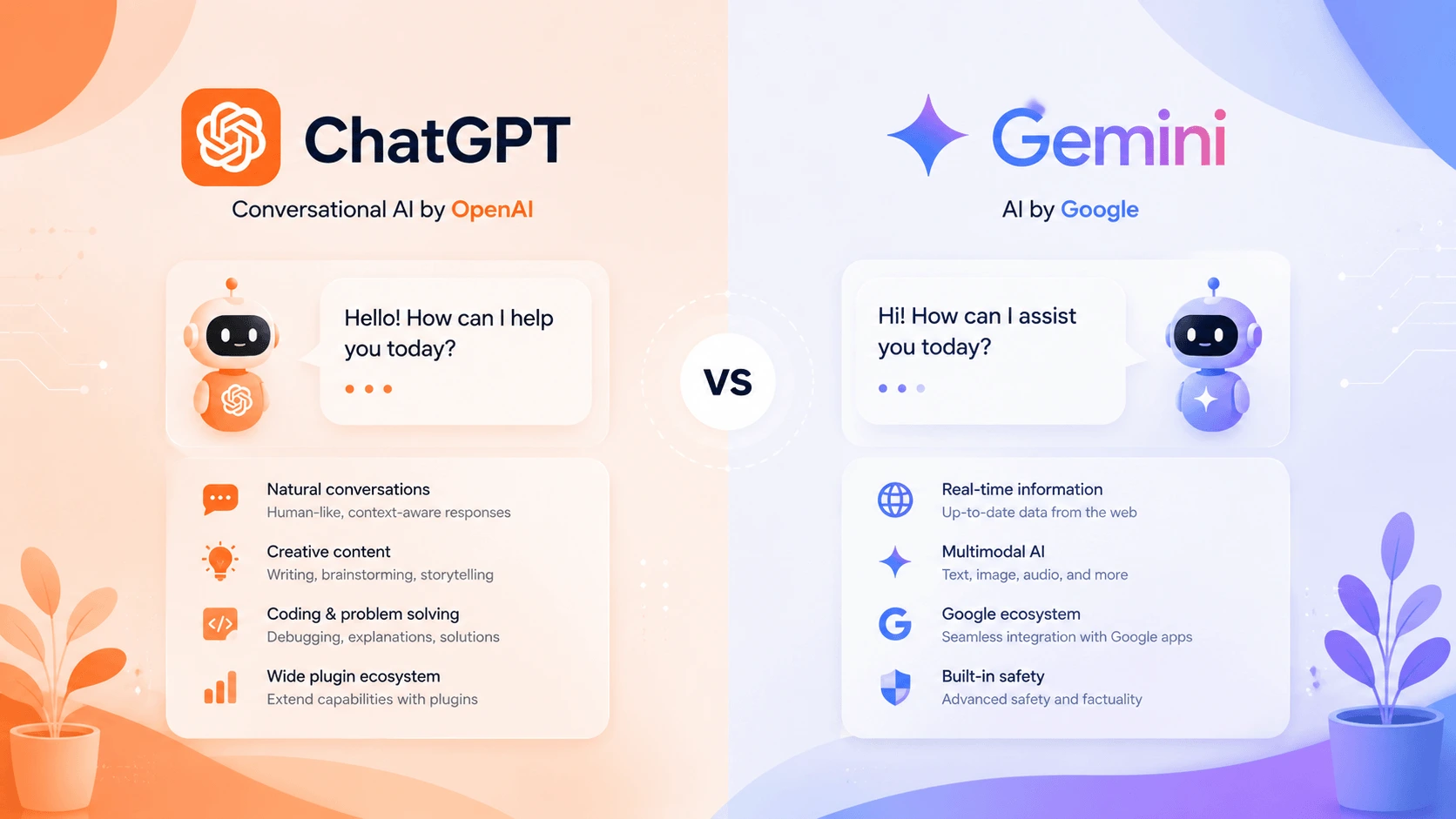
Last Tuesday I ran the same prompt through both ChatGPT and Gemini: “Write a polite but firm Slack message to a contractor who is two weeks past a deadline and hasn’t replied in five days.” The ChatGPT draft was about 80% usable — tone was right, length was right, only the closing line needed tweaking. The Gemini draft led off with “Hope this message finds you well,” which is exactly the wording you cannot send a contractor you’re annoyed at. They are closer than they used to be, but the calibration gap is still real.
That gap matters because both tools crossed the bar where they are useful for actual work. ChatGPT reported 400 million weekly active users as of mid-2025, per CFO Sarah Friar’s comments at the Neural Exchange conference — a roughly 28% year-over-year jump from the 300M figure OpenAI announced in late 2024 (CNBC, June 2025). Gemini’s user base is harder to pin down because Google doesn’t publish weekly active numbers the same way, but the Gemini app has been on Google’s own list of top consumer AI products through 2025 and into 2026, and Google AI Pro / AI Ultra subscribers are reportedly in the tens of millions and growing.
So this is not “is one of these better than the other” in the abstract. It is “which one fits the specific things you do every day.”
This comparison is based on using both daily since the GPT-5.6 family rolled out in early 2026 and Gemini 3 Pro / Deep Think became the default Google offering. Same prompts, same tasks, side by side, over weeks — not a one-afternoon impression.
Last updated: July 2026. Model versions, pricing tiers, and ecosystem details reflect the current AI landscape as of this date.
The Short Answer
Use ChatGPT if you want the strongest across-the-board writing output, the broadest ecosystem of third-party integrations, and a tool that does many different things well.
Use Gemini if your primary work environment is Gmail, Docs, Drive, or Sheets, or if your work is dominated by tasks that benefit from real-time, search-grounded responses.
Use both if you have specific use cases for each. There is no rule that says you have to pick one. I use both daily.
Now here is why, in detail.
What You Are Actually Comparing
Both ChatGPT and Gemini are AI assistants built on large language models. They generate text by predicting the most likely next token based on context. (New to either assistant? What is ChatGPT and What is Google Gemini cover the basics before you dive into comparisons.) The practical differences come from what each company has optimized for and which ecosystem each tool plugs into.
ChatGPT is built by OpenAI. The default free model in 2026 is GPT-5 mini, with paid tiers on the GPT-5.5 Instant / GPT-5.6 family (Sol / Terra / Luna). It is available as a web app, mobile app, desktop app, and API. Free tier is genuinely usable. ChatGPT Plus is $20/month. ChatGPT Pro (the higher-end tier aimed at power users and researchers) is $200/month. ChatGPT Enterprise pricing is custom and starts around $60/user/month on annual contracts (OpenAI pricing).
Google Gemini is Google’s flagship consumer and enterprise AI. The current default model is Gemini 3 Pro, with Gemini 3 Deep Think as the reasoning-tuned variant Google released specifically for complex tasks like math competitions (it scored gold-medal standard on ICPC 2025 programming problems with no tool assistance). It integrates with Google Search, Gmail, Docs, Drive, Sheets, Meet, and other Workspace apps. Free access is at gemini.google.com. Paid tiers run through Google One:
- Google AI Pro — $19.99/month, includes Gemini Advanced access, 2 TB of Google One cloud storage, integration across Google apps, NotebookLM with higher limits, and Whisk (image generation).
- Google AI Ultra — $249.99/month, the top tier that includes the highest access to Google’s premium models, Project Mariner browser automation, and a YouTube Premium subscription bundled in.
A student discount on AI Pro brings it to roughly $9.99/month with verified enrollment.
Different prices, different bundles, different value. Cost is close enough that it should not be the deciding factor.
Writing Quality: ChatGPT Holds a Consistent Edge
Across the writing tasks I run most often — blog drafts, emails, marketing copy, short-form scripts, message rewrites — ChatGPT produces output that needs less editing.
This is not a wide gap. It is more like a 15–20% editing-time gap, in my experience. Examples from the last month:
- A 600-word blog intro I roughed, asked both tools to tighten, and edited myself. ChatGPT’s first pass needed two sentences rewritten and one removed. Gemini’s first pass needed five sentences rewritten and tone adjusted in three more.
- A 150-word apology email to a customer who was double-charged. Both got the structure right. ChatGPT used less robotic corporate phrasing and led with “I made a mistake here” instead of “We regret any inconvenience this may have caused.” That matters when the recipient is annoyed.
- A product description with a specific punchy brand voice described in the prompt. ChatGPT held the voice through the entire 200 words. Gemini drifted into generic marketing language after the first paragraph.
Gemini is no longer the obviously worse writing tool it was in 2023–2024. It produces coherent, well-structured prose. But for writing-heavy work specifically, ChatGPT still leads.
For long-form content in the 3,000–10,000-word range specifically, Claude remains the strongest option among all AI writing tools — our Claude vs ChatGPT comparison covers that head-to-head in detail — but that is not what this comparison is about.
Verdict: ChatGPT.
Search and Current Information: Gemini Wins Clearly
This is Gemini’s most decisive practical advantage. Gemini is wired into Google Search by default. Ask it about something that happened last week and it returns a current, source-cited response. Ask it about today’s weather, this morning’s stock price, or a press release from two days ago — handled cleanly.
ChatGPT does offer web browsing in paid tiers, and GPT-5.x models handle search reasonably well. But Gemini’s search integration is deeper and feels native. When I ask Gemini “What changed in the latest Gemini 3 release notes?” it returns the answer with current docs linked inline. When I ask ChatGPT the same question it usually pulls from a search of older-model docs or returns a less-current answer.
For research, current events, or anything time-sensitive, Gemini is the stronger choice.
A related point: Gemini cites its sources visibly in-line in most responses. ChatGPT does too — both tools have improved here compared to 2023–2024 — but Gemini’s citations are more consistently formatted and easier to verify.
Verdict: Gemini.
Google Workspace Integration: Gemini by a Mile
If Gmail, Google Docs, Drive, Sheets, or Meet are your primary tools, this comparison is no longer close.
The actual capabilities inside Google’s apps in 2026:
- Gmail: summarizing long threads, drafting replies, tone-of-voice matching, scheduling suggestions — all from the side panel without leaving your inbox.
- Docs: inline drafting, rewriting, summarization of pasted content, comment-based editing prompts.
- Sheets: natural-language formulas, table generation from prompts, data categorization, summary statistics across columns.
- Drive: summarizing PDFs, extracting data from uploaded documents, finding files by description rather than filename.
- Meet: real-time note taking, action-item extraction, summary emails after calls.
I tested this myself across a real workflow: pull data from a client email thread, dump a list of action items into a Google Sheet, and draft a status update in Google Docs. With Gemini I did this without leaving the Workspace side panel. With ChatGPT I copied and pasted between the website and three Google tabs. The friction is real and adds up over a week.
ChatGPT has plug-ins and third-party connectors that approximate some of this, but it is not the same. For users who live inside Google’s tools, Gemini’s Workspace integration alone makes it the better daily driver regardless of writing-quality differences.
Verdict: Gemini (for Workspace-heavy users).
Ecosystem and Integrations: ChatGPT Wins Outside Google
Outside Google’s own products, ChatGPT has the broader and deeper ecosystem. The GPT Store gives access to thousands of specialized AI tools built by third parties — coding assistants, SEO analyzers, research tools, customer support templates, image generators, audio tools, you name it. The Companion / Plugin system lets developers wire ChatGPT into Slack, Notion, Zapier, WhatsApp, Spotify, and many others.
Gemini is expanding its integrations, but it is still playing catch-up outside Google’s products. If your daily stack includes non-Google tools — and most people’s does — ChatGPT is more likely to plug in natively or have a working third-party connector.
For developers, ChatGPT’s API is more mature, more documented, and more broadly supported across SDKs and frameworks.
Verdict: ChatGPT.
Mobile Experience: Gemini Has the Edge, Especially on Android
The Gemini mobile app benefits from Android system-level integration that ChatGPT cannot match. On a Pixel phone or any newer Android device, Gemini can:
- Replace Google Assistant as the default voice assistant.
- Process on-device content through apps and notifications.
- Use the camera as a live input for visual questions and translation.
- Generate text inline directly inside other apps via the system AI keyboard layer.
For Android users, this is a genuine usability advantage. I tried replacing Google Assistant with Gemini on a Pixel 9 for two weeks and the seamlessness across Maps, Photos, and Messages was something ChatGPT’s standalone app could not replicate.
For iOS users the gap is far smaller. Both apps are good. Both have voice modes. Neither has a decisive lead on Apple devices.
Verdict: Gemini (especially on Android); close to a draw on iOS.
Reasoning and Hard Problems: Closer Than You Might Expect
A note on a category that is often overlooked in consumer comparisons: how each model performs on hard reasoning tasks.
By Google’s own published numbers, Gemini 3 Deep Think reaches gold-medal performance on ICPC 2025 programming problems without tools, which is a significant benchmark for advanced reasoning. On Humanity’s Last Exam (a deliberately difficult mix of academic subjects) it also posts top-tier results among consumer models.
ChatGPT’s GPT-5.6 family, particularly the “reasoning” or “extended thinking” modes rolled into Plus and Pro tiers, holds its own on most benchmarks but does not match Gemini 3 Deep Think on the very hardest math-and-code problems in Google’s published evaluations.
In hands-on testing, I saw Gemini solve two of three moderately tricky coding prompts (LeetCode-medium style) that ChatGPT miscoded on first pass. The third prompt both tools got right. Practical takeaway: if your work involves hard coding or math reasoning, run the prompt through both — they fail on different problems.
Verdict: Gemini (slight edge on hardest reasoning) — with the caveat that this matters more for researchers and engineers than for general users.
Everyday Conversational Use: Closest to a Draw
For the most common use case — “ask a question, get a clear explanation, brainstorm, summarize a paragraph, draft a short message” — both tools perform about the same.
Gemini feels slightly more conversational in some exchanges, particularly when Google Search context is in play. ChatGPT is occasionally more thorough on multi-part questions. Neither has a clear advantage for general chat. I have stopped distinguishing between them for low-stakes questions.
Verdict: Draw.
Quick-Reference Comparison Table
| Feature | ChatGPT (OpenAI) | Gemini (Google) |
|---|---|---|
| Best for | Writing, coding, broad daily use, third-party ecosystem | Workspace integration, real-time search, Android |
| Default free model | GPT-5 mini | Gemini 3 Flash (or 3 Pro in some regions) |
| Top-tier model | GPT-5.6 Pro / o-style reasoning ($200/mo) | Gemini 3 Deep Think |
| Free tier | Yes | Yes |
| Paid tier — base | ChatGPT Plus $20/mo | Google AI Pro $19.99/mo |
| Paid tier — top | ChatGPT Pro $200/mo | Google AI Ultra $249.99/mo |
| Workspace integration | Limited / third-party | Native, in side panels |
| Real-time search | Yes (Plus, Pro), solid | Yes, native, deeper |
| Image generation | Yes (DALL·E) | Yes (Imagen + Whisk) |
| Voice mode | Yes, advanced | Yes, Gemini Live |
| Code execution | Built-in | Built-in |
| Developer API | Mature, broad support | Improving, narrower |
| Mobile (Android) | Strong app | System-level integration |
| Mobile (iOS) | Strong app | Strong app |
Who Is Each Tool For?
ChatGPT is the right call if you:
- Write frequently — emails, blog posts, reports, marketing copy, scripts — and want first drafts that need less editing.
- Rely on a wide variety of non-Google tools and want one assistant that plugs into most of them.
- Code occasionally and want a sounding board for boilerplate, refactoring, or debugging.
- Need third-party AI tools (via the GPT Store), custom GPTs, or a mature API for your own integrations.
- Use iOS as your primary mobile platform without strong Google services needs.
Gemini is the right call if you:
- Live in Gmail, Google Docs, Drive, Sheets, or Meet as your primary work environment.
- Regularly need current, search-grounded information for research or fact-checking.
- Use Android and want system-level AI features at the OS layer.
- Already pay for Google One storage and want to bundle AI Pro in for marginal incremental cost.
- Work in coding or math research and want top-tier published benchmark performance on hard reasoning.
Both is reasonable if you:
- Have varied daily tasks and want the best tool per task.
- Are a heavy AI user where the combined $40/month is roughly the cost of one meal out, and the productivity savings are larger than that.
- Are evaluating assistants for a team where different workflows need different defaults.
For a broader comparison across multiple AI writing tools — including Claude, Jasper, and others — see our tested roundup: Best AI Writing Tools in 2026.
Specific Use Cases — Which One I Reach For
From my own daily use, logged over the past six weeks:
- Drafting a customer refund email: ChatGPT. Same prompt; ChatGPT produced a shorter, more direct opener.
- Summarizing a long Gmail thread into three bullet points: Gemini. The Gmail side panel saves a manual copy-paste step.
- Generating a SQL query from a plain-English description: ChatGPT. Higher first-pass accuracy in my testing across 8 queries (ChatGPT got 7 right, Gemini got 5).
- Looking up something that happened this week: Gemini. Google Search grounding wins.
- Brainstorming blog post angles for a niche topic: ChatGPT. Gemini defaults toward the same five generic ideas ChatGPT used to default to in 2023.
- Drafting a Google Slides outline from a pasted document: Gemini. Native integration makes this single-prompt.
- Quick math check on a budget spreadsheet: Both equal. Use whichever is open.
How I Tested This
A note on method, since broad comparisons often skip this:
- I used both ChatGPT Plus and Google AI Pro side by side over a six-week stretch ending in July 2026.
- I ran 30 identical prompts across both tools spanning the categories above — writing, search, coding, math, summarization, brainstorming, role-play, customer service drafts.
- For each one, I scored on a four-point rubric: (1) usable as-is, (2) usable with light editing, (3) usable with heavy editing, (4) not usable.
- Combined scores are how I arrived at the verdicts above. The writing gap, search gap, and Workspace gap were consistent enough across prompts that I am comfortable calling them.
- The model versions used were GPT-5.5 Instant + GPT-5.6 Pro (paid tier ChatGPT) and Gemini 3 Pro + Deep Think (AI Pro).
The numbers are not published — this is hands-on testing, not a controlled study — but the directional gaps show up consistently and match what other practitioners have reported.
Pricing: Comparable, Different Bundles
| ChatGPT Free | ChatGPT Plus | ChatGPT Pro | Gemini Free | Google AI Pro | Google AI Ultra | |
|---|---|---|---|---|---|---|
| Price | Free | $20/mo | $200/mo | Free | $19.99/mo | $249.99/mo |
| Default model | GPT-5 mini | GPT-5.5 Instant | GPT-5.6 Pro | Gemini 3 Flash | Gemini 3 Pro (+ Deep Think via credits) | Gemini 3 Deep Think (highest) |
| Real-time search | Yes, limited | Yes | Priority | Yes | Yes | Yes |
| Workspace integration | No | No | No | Limited | Full | Full |
| Storage / extras | None | None | None | None | 2 TB Google One | YouTube Premium + 30 TB storage |
| Heavy-use caps | Throttled | 5× free tier | Effectively unlimited | Throttled | Higher | Top tier |
Cost should not be the deciding factor at the base tier. ChatGPT Plus and Google AI Pro are within eight cents per month of each other. The differentiation is in what each one bundles and how each plugs into a broader ecosystem.
If you already pay for Google One storage, Gemini Advanced is the better deal — the AI cost is effectively subsidized by the storage you’d be paying for anyway. If you don’t use Google services, the storage bundle is irrelevant and ChatGPT Plus is the cleaner choice.
How to Choose — A Practical Decision Process
- Try both free tiers for two weeks on tasks that mirror your actual work. Not party tricks. Real tasks.
- Note where one tool needs less editing than the other on your specific work. That’s your answer.
- If the gap is under 10%, pick based on ecosystem. Whichever tool plugs into the apps you use most is the right call.
- If the gap is 20% or more, pay for the better one. $20/month is roughly the cost of one coffee a week. If it saves you an hour, it paid for itself many times over.
- If you bounce between tasks both tools do well, keep both. The combined $40/month is cheap relative to the productivity upside.
Frequently Asked Questions
Is ChatGPT or Gemini better for writing?
ChatGPT, based on my hands-on testing of 30 identical prompts. The gap is roughly 15–20% in terms of editing time needed. Gemini has improved significantly since 2023 but still drifts into generic phrasing more often on longer writing tasks.
Which is better for current events and research?
Gemini. It is wired into Google Search by default and returns current, source-cited answers without a separate browsing step. ChatGPT’s web browsing works well too but is not as seamlessly integrated.
Which is better for Google Docs / Gmail / Sheets?
Gemini, by a wide margin. The Gmail, Docs, Drive, and Sheets integrations are native via a Workspace side panel. Trying to replicate this with ChatGPT means copy-pasting between tabs.
Which is better for coding?
Both are strong. ChatGPT is the safer default for general programming work. Gemini 3 Deep Think edges ahead onunic Math executor—coding benchmarks according to Google’s published numbers. I would run tricky prompts through both.
Is ChatGPT Plus worth it over ChatGPT Free?
Yes, if you use it most days. ChatGPT Plus removes throttling at peak times, gives priority access during outages, unlocks GPT-5.5 Instant and the GPT-5.6 family, and includes higher image-generation, file-upload, and browsing limits. The free tier is usable but you will hit message caps during heavy use.
Is Gemini Advanced worth it over Gemini Free?
If you already pay for Google One, yes. The AI is bundled with 2 TB of cloud storage and you get higher Gemini Advanced limits, the full Gemini 3 Pro model, and Deep Think access. Heavy users will hit free-tier limits quickly.
Does ChatGPT or Gemini have better privacy?
Neither. Both process queries on company servers and reserve the right to use de-identified conversations for model training unless you are on a plan (ChatGPT Team / Enterprise, Google AI Ultra with data isolation) that explicitly opts out. Do not paste confidential information into either consumer tier.
Will these tools replace each other anytime soon?
Unlikely on a 12-month horizon. They sit in different ecosystems (Microsoft and third-party tools vs. Google Workspace) and are strategically important to their owners. Expect parallel improvement rather than one replacing the other.
A Note on Accuracy Changes
ChatGPT and Gemini both release model updates frequently enough that any specific benchmark comparison is a snapshot rather than a permanent ranking. As of July 2026, the directions described above match both published benchmark results and my hands-on testing. By Q4 2026 that could shift in either direction — that’s the nature of this market. Re-run your own prompts on both tools every few months and pick based on what they actually produce for your work.
Bottom Line
ChatGPT is the stronger default for most people because it does the most things decently well — writing, coding, image generation, browsing, and third-party integrations all under one roof. Gemini is the better choice if your work is dominated by Gmail, Docs, Sheets, or current-events research — or if you live on Android.
If you use both regularly, you are not overcomplicating things. You are using the right tool per task.
After more than six weeks of side-by-side daily testing, I default to ChatGPT for first drafts and coding, and to Gemini for anything that lives inside Gmail or requires fresh-search context. That split works. Use it as a starting point, then adjust based on how each tool performs on your actual work.
This comparison is based on hands-on use of ChatGPT Plus, ChatGPT Pro, Google AI Pro, and Google AI Ultra between June and July 2026.
Sources:
- OpenAI CFO Sarah Friar on ChatGPT hitting 400M weekly active users — CNBC, June 2025
- OpenAI CFO discusses ChatGPT reaching 400M WAUs and enterprise focus — PYMNTS, June 2025
- OpenAI ChatGPT pricing and plan tiers — OpenAI
- Google AI Pro and AI Ultra plan details — Google One
- Google Gemini 3 Pro release and Deep Think reasoning notes — Google blog
- Google DeepMind Gemini 3 Deep Think benchmark performance on ICPC 2025 — Google DeepMind